

Kyle Wikstrom, GIS Solutions Specialist
Welcome to my summary and key takeaways from the Chapter 3 of The ArcGIS Book! Read about this blog series in my previous post. See my breakdown of Chapter 1 here, and Chapter 2 here.
Stories and maps used to commonly be side-by-side items but, with Esri Story Maps, stories can be presented through geography. The storyteller can combine text, photos, video, and audio with interactive maps to share information about where things happen. These can be used for general and specialized audiences through enriching content in an intuitive app.
Telling stories is part of our human experience and existence. Stories affect who we are and the decisions we make. We are a part of stories as either the narrator, the listener, or even part of the story itself. Nearly all stories feature some sort of place that can be found on a map of our world. Fictional stories can also rely on maps, and some the most widely known and popular stories are supported by maps that are intrinsic to sharing history and advance plots (i.e., The Lord of the Rings, etc.).
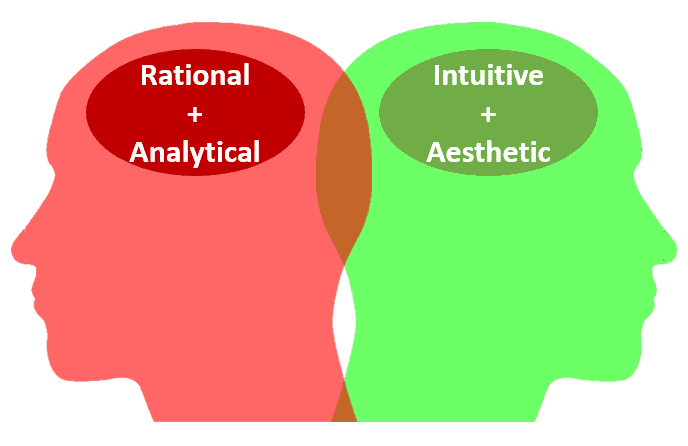
Maps organize information by where it is located, and this helps humans to visually understand patterns and relationships. Because maps can be both informational and beautiful, they have the ability to engage and stimulate both the left and right sides of the brain.
Basic Types of Story Maps
- Series – compare multiple or sequential maps
- Map Tour – place-based narrative
- Shortlist – curated lists and categories
- Swipe and Spyglass – compare two maps
Telling Your Story
We all have many stories to tell, but many seem to have trouble identifying one to tell through a Story Map. The ArcGIS Book tells of some ways you can share your story.
- Describe places
- Compare data
- Reveal patterns
- Present narratives
- Recount history
- Celebrate the world
- Break the news
- Depict change
Check out the Story Maps Gallery for ideas on how you can create your own Story Map.
Beyond the Lesson
Go through this chapter’s lessons to get familiar with how easily you can create a Story Map. Then create your own!
Share your Story Maps here or submit them to Esri’s Story Map Gallery!
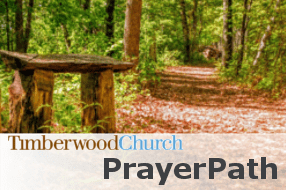
Timberwood Church Prayer Path
Check out this Story Map Tour created for Timberwood Church in Nisswa, Minnesota. This Story Map lets readers discover the Prayer Path, a half-mile loop through the woods overlooking beautiful Hole-in-the-Day Lake.

The Alpha Tau Omega Fraternity
This Story Map shows a national map of the Alpha Tau Omega Fraternity’s active and inactive chapters across America since it’s founding in 1865.
LESSON 1
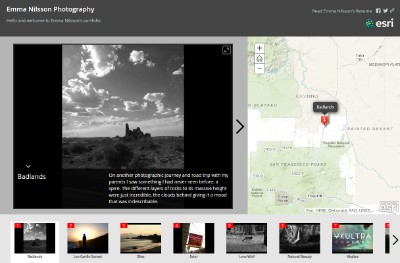
What is the topic? Emma Nilsson’s Photography GeoPortfolio
What is the result? Emma Nilsson Photography GeoPortfolio Story Map Tour
What do you need? ArcGIS Online organization or public account
What technical skills can you expect to learn?
- Import a photo set from Flickr
- Set a photo point introduction
- Add photo captions
- Add photo title
- Save Story Map Tour
- Add a URL hyperlink
- Set the scale level
- Share Story Map Tour
LESSON 2
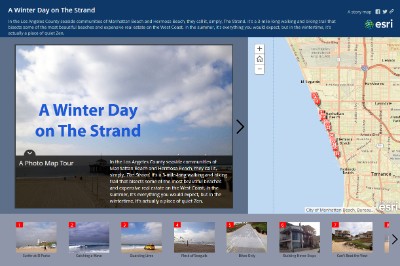
What is the topic? Seaside beaches on the West Coast
What is the result?
A Day on the Strand Story Map Tour
What do you need? ArcGIS Online organization or public account
What technical skills can you expect to learn?
- Enable geolocation service on mobile device
- Build new Story Map Tour
- Import photos from Flickr
- Edit media text
- Change basemap
- Set intro image
- Switch to builder mode
- Set colors
- Set zoom extent
Sources:
- Carroll, Allen, and Rupert Essinger. “Tell Your Story Using a Map.” The ArcGIS Book: 10 Big Ideas about Applying Geography to Your World. Ed. Christian Harder. Redlands: Esri Press, 2015. 35-44. Print.
- This article was originally published here on LinkedIn.
- Follow Kyle on Twitter
- Follow Pro-West on Twitter.
- Visit Pro-West’s ArcGIS Online app gallery